
A reference photograph can set the mood of an ad, but a row of sampled pixels is not yet a palette. Choose a few colors for specific jobs: background, readable text, supporting detail, and emphasis. Then test them with the real product and copy. Colors that look good in a photograph can compete or disappear when used as flat blocks.
Choose a reference that belongs to the campaign
A product photograph can suggest supporting tones, while an approved brand image can anchor a campaign direction. Choose a reference whose colors you actually want to carry into the ad.
Sample representative areas rather than isolated highlights or shadows. A bright reflection may describe the light instead of the product's surface. Keep the reference image and mark which area supplied each candidate color so another designer can retrace the choice.
If several references compete, choose one anchor. Keep mandatory brand colors fixed and use the reference for the remaining roles; do not quietly replace an approved brand color because the photograph suggests a more attractive one.
Give each color a job
Place candidates into the actual ad before refining the swatches. Start with a background, text color, and accent. Add another color only when an element needs a separate role; a reference containing eight colors does not require an eight-color layout.
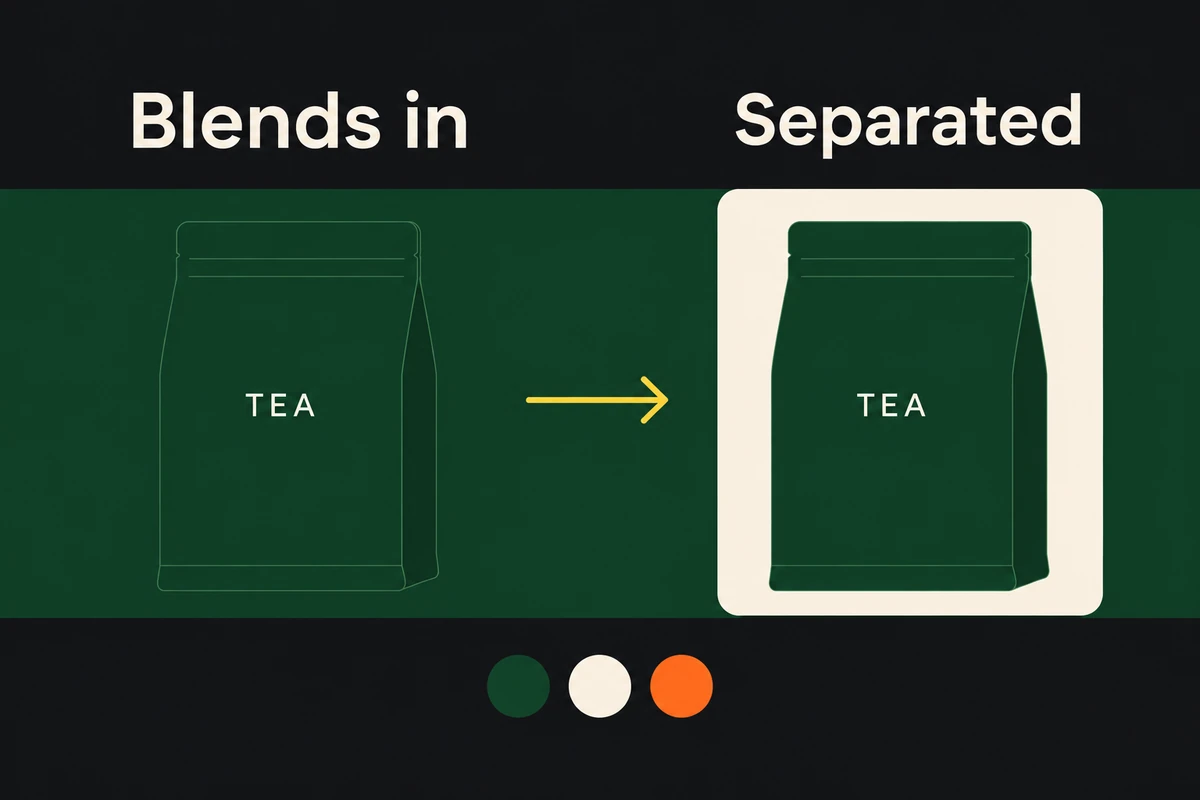
Imagine a tea package on a green countertop. The photograph includes dark green, cream packaging, and a small orange label. A possible palette uses the dark green as a background, cream for text, and orange for a button. But if the package itself is dark green, that background may hide it. The designer might use a lighter surface behind the package while keeping green elsewhere.
Save the chosen relationships as pairs: headline on background, small copy on its backing, logo on its surface, and accent on the surrounding color. This makes a later crop or locale variant testable without reconstructing the original color decisions.
Check contrast in the finished layout
Measure text contrast against its actual background, especially for small copy and offer terms, then read it at the intended display size. On a photograph, check the lightest and darkest areas behind the text rather than using the image's average color. A contrast checker evaluates the supplied pair; it does not tell you whether the product disappears into the scene or the accent dominates the headline.
When text fails, choose a clearer color pair, move it onto a quieter area, or add a solid backing. Test that repair in the layout before decorating the letters with an outline or shadow.
Check the logo and product separately. A pale logo can vanish over a bright crop even when the headline passes a contrast check. A green bottle can blend into a green background that looked elegant as an isolated swatch. Revisit the background role or add deliberate separation rather than adding more accent colors.
Try the palette in every required placement. Cropping may move text onto a different part of the photograph and change the effective contrast. For campaign-wide consistency, compare the variants with the brand consistency guide.
Record a palette another designer can use
For each color, record its value and color space, role, permitted pairings, and reference. For example: “Deep green: campaign background; cream: text on green; orange: action accent; light backing required behind the green package.” Add the actual chosen values to that note.
Save a representative finished ad with the palette. The next designer should be able to reproduce its contrast and product separation, including the light backing exception, rather than merely copy an unlabeled swatch row.