
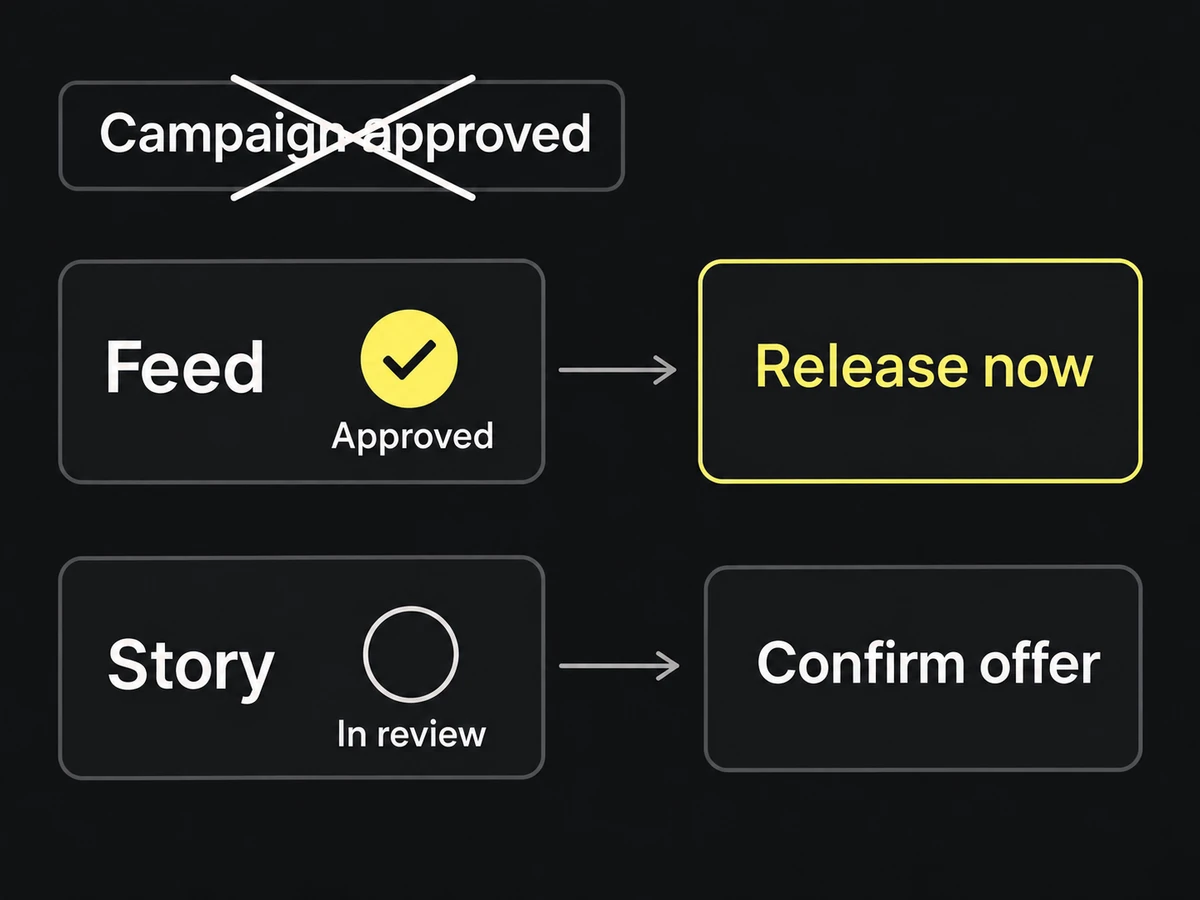
Build the workflow around deliverables that can move independently: one concept, placement, and locale per production item. Give each item a current owner, next action, and due date. The campaign is the group; it should not hide a blocked story video behind an approved feed image.
Use the team's existing board or spreadsheet. Start with one real campaign and these fields: deliverable, brief link, current revision, state, current owner, next action, due date, and delivery link. Source relationships can stay in the asset manifest.
Make requests complete enough to schedule
The intake owner checks that the brief names the audience, message, outputs, deadline, and approvers. Use the asset checklist to check source readiness.
Schedule only the work those inputs support. A concept study can proceed with an explicitly labeled image placeholder; a final export cannot. Record any assumption and what must happen before the item advances. If a deadline cannot accommodate a missing dependency, the campaign owner chooses a smaller delivery or a new date.
Assign single ownership to each decision
Name a campaign owner to settle scope and priority, a maker for each deliverable, the reviewers needed for its claims and design, and a recipient who accepts delivery. Roles can belong to the same person; the decisions still need an owner.
When an item changes hands, assign the next action to the person who can perform it. “In review — designer” hides the real wait. “In review — product lead — confirm offer wording by Tuesday” exposes it.
Track per-item status and manage partial delivery
Give each state an exit condition:
| State | What moves it forward |
|---|---|
| Requested | Intake owner accepts scope and identifies blockers |
| Ready | Maker has the inputs needed for the agreed work |
| In production | A fixed revision is ready for named reviewers |
| In review | Required decisions close, or specific corrections return to the maker |
| Approved | Delivery checks pass and the recipient receives the batch |
| Delivered | Recipient accepts the files and required dependencies |
Treat blocked as a reason attached to a state: name the missing input, its owner, and the item it stops. Do not move the item to approved because the deadline has arrived.
In a partial delivery, list exactly what the recipient may use now. Keep remaining items active with a next action and owner, or record the campaign owner's decision to remove them from scope.
Keep feedback and working versions attached to the work
Link one review location from each item. Preserve the reviewed revision and consolidate required fixes before assigning a revision. The approval workflow defines what a closed decision looks like.
When an offer changes mid-production, search the affected items, update their copy reference, and return them to the appropriate review. Leave unaffected work moving. If a delivered file is affected, notify its recipient with the exact filename and the replacement or hold instruction; a board update alone will not reach someone using the old export.
Close with an organized archive for fast retrieval
Close the item with the accepted delivery link, editable source, approval record, and any use restrictions. The handoff checklist covers packaging and recipient checks.
Before adopting the workflow for the next campaign, follow one item from its original request to the file the recipient accepted. Then inspect a blocked item: can you tell who must do what next? Those two cases reveal whether the board runs the work or merely labels it.